
f.a.q. – General Questions
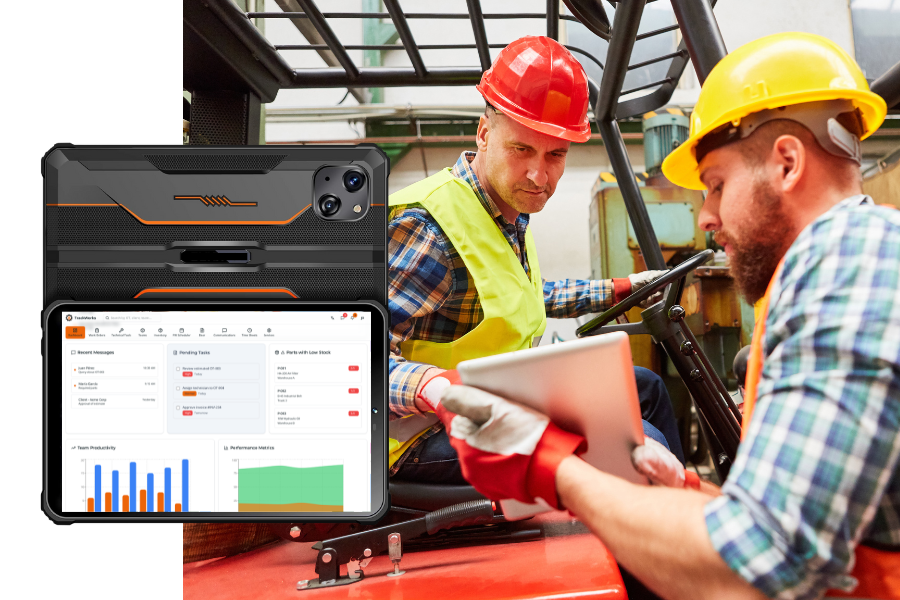
TrackWorks is an all-in-one field service management software that helps businesses streamline work order tracking, technician management, inventory tracking, and invoicing. It offers a web dashboard for managers and a mobile app for field technicians, ensuring real-time updates and improved efficiency.
Any business that manages field technicians, service orders, and equipment maintenance can benefit from TrackWorks. This includes fleet maintenance teams, HVAC companies, electrical contractors, plumbing services, and facility management businesses.
Yes! While the Core Module includes essential features like work order management, inventory tracking, and time tracking, you can enhance your system with additional modules such as estimating, invoicing, purchase ordering, billing, customer portal and geo-tracking .
Getting started is simple! Contact us for a free demo , and our team will guide you through the setup process. You can also purchase pre-configured rugged tablets with TrackWorks installed, making deployment quick and hassle-free.
TrackWorks automates manual tasks , reduces paperwork, and provides real-time data to enhance decision-making. Features like technician tracking, automated invoicing, and equipment history help businesses optimize workflow, reduce downtime, and improve service quality.
Software & Features
You have questions. wE have answers.
TrackWorks was founded with one goal in mind: to simplify the complexities of field service management and drive meaningful results for businesses like yours.
The TrackWorks Core Module includes:
- Work Order Management – Create, assign, schedule, and track work orders from start to finish.
- Technician Time Tracking – Accurately monitor labor hours, job progress, and technician productivity.
- Equipment & Asset Management – Maintain complete service histories, maintenance records, and asset details.
- Parts & Inventory Management – Track parts and items in real time, manage stock levels, and associate inventory usage directly with work orders.
- Reporting & Business Insights – Access robust reports to analyze performance, costs, and operational efficiency.
- Seamless Integration – TrackWorks has the capability to integrate with existing accounting and inventory software. These integrations are available as optional add-ons and requires an additional cost.
TrackWorks can be expanded with optional modules designed to streamline your operations and scale with your business needs, including:
- Estimates – Create, send, and approve service estimates quickly and efficiently.
- Invoicing – Generate professional invoices with ease.
- Purchase Orders – Create and manage purchase orders in real time.
- Geo-Tracking – Monitor technician locations in real time for better dispatching and visibility.
- Customer Portal – Give customers secure access to view jobs, estimates, and invoices.
- Billing – Manage billing processes accurately and efficiently.
These modules allow you to customize TrackWorks to fit your workflow as your business grows.
Yes! The TrackWorks mobile app is designed for field technicians to receive work orders, track time, update service records, and generate invoices on the go. Managers can also access dashboards remotely via mobile.
Yes! TrackWorks integrates with popular accounting and inventory management software, ensuring seamless financial and parts tracking.
Yes. The TrackWorks mobile app is designed to work fully offline, allowing technicians to continue managing work orders, capturing data, and completing tasks without an active internet connection. Once the device reconnects to a network, all information is automatically and securely synchronized.
This offline capability is a major advantage for teams working in remote areas, job sites with poor coverage, or situations where connectivity is unreliable—ensuring productivity never stops and no data is ever lost.
Yes! TrackWorks uses end-to-end encryption and cloud-based backups to ensure your business data is safe and accessible at all times.
Absolutely! Role-based permissions allow you to control who has access to sensitive data, ensuring only authorized personnel can view or modify critical information.
Support & Training
Yes! We offer comprehensive training for managers and technicians to ensure a smooth transition to TrackWorks. Training can be conducted onsite or remotely.
Our dedicated support team is available 24/7 to assist with:
- Software troubleshooting
- Feature training
- Integration assistance
You can reach our support team via:
- Phone: 786.723.1192
- Email: support@trackworks.app
- Support Center: https://support.trackworks.app
Trial, Demo, USER Licensing & Platform Structure
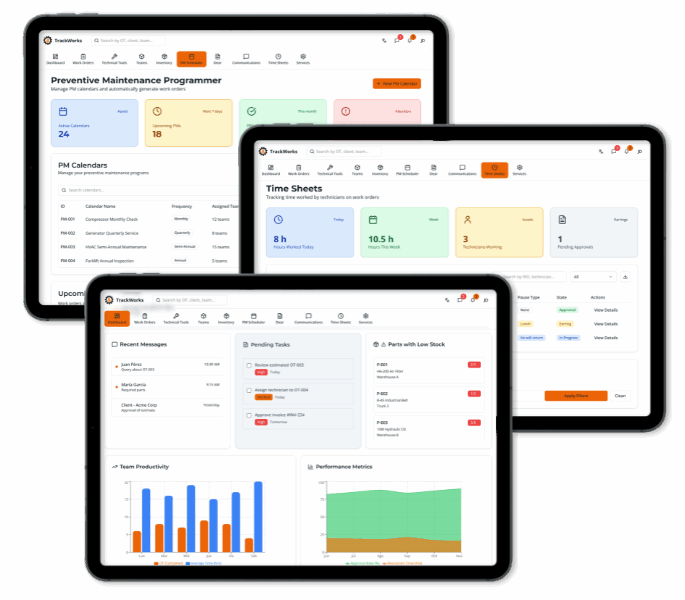
Yes! We offer a free demo so you can explore TrackWorks and see how it fits your business needs. Contact us today to schedule your demo.
Simply fill out the Request a Demo form on our website or give us a call to schedule a personalized demo session.
Yes. A TrackWorks license plan is required to use the platform.
The license plan unlocks access to the Core Module, which is included by default and provides the foundational tools needed to run field service operations
Add-On Modules are expandable functional layers that build on the Core Module’s data and workflows.
They introduce additional capabilities such as estimating, invoicing, payments, geo tracking, customer portals, and scheduling coordination.
A license plan provides access to the TrackWorks platform for multiple users, with a minimum of 5 users per plan.
Each license plan includes:
- Platform access
- The Core Module (included)
- Multiple user seats (minimum of 5)
- The ability to add Add-On Modules
This structure is designed for team-based field service operations.
TrackWorks is built for collaborative field service teams, not individual use.
The minimum user requirement ensures:
- Proper job coordination
- Real-time operational visibility
- Accurate reporting and accountability
- A connected workflow across teams
Every TrackWorks license plan includes access to the Core Module, which serves as the operational foundation of the platform.
The Core Module functions as the operating system for your field service business.
The TrackWorks Core Module includes:
- Work Order Management – Create, assign, schedule, and track work orders from start to finish.
- Technician Time Tracking – Accurately monitor labor hours, job progress, and technician productivity.
- Equipment & Asset Management – Maintain complete service histories, maintenance records, and asset details.
- Parts & Inventory Management – Track parts and items in real time, manage stock levels, and associate inventory usage directly with work orders.
- Reporting & Business Insights – Access robust reports to analyze performance, costs, and operational efficiency.
- Seamless Integrations – Connect easily with your existing accounting and inventory systems for a streamlined workflow.
These are features within the Core Module, not separate products.
Yes. License plans are scalable, and additional users can be added as your team grows.
Add-On Modules can be purchased at the same time as your license plan or at any point afterward.
There is no waiting period. Businesses may build their system immediately or expand over time.
No. A license plan and the Core Module are required to use any Add-On Module.
The Core Module is the base. Add-On Modules expand the system.
Rugged Tablets & Hardware
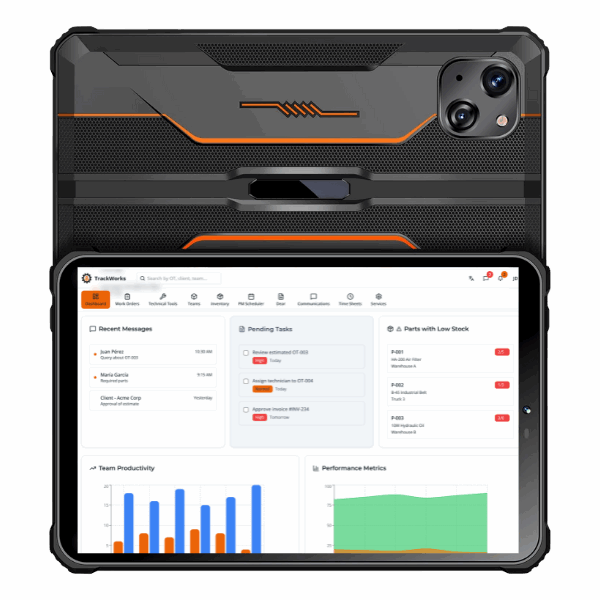
TrackWorks offers pre-configured rugged tablets designed for tough field conditions. Benefits include:
- Pre-installed TrackWorks software for instant deployment.
- Shockproof and weather-resistant build.
- Extended battery life for all-day use.
- Unlimited data plan for constant connectivity in the field.
Yes! You can purchase rugged tablets with or without the TrackWorks software pre-installed. Our team will assist you in setting them up for optimal use.
Our optional unlimited data plan ensures technicians stay connected at all times, eliminating downtime due to poor Wi-Fi access. This allows real-time job updates, GPS tracking, and seamless communication.
Request Your Personalized Demo!
Learn more about how TrackWorks can revolutionize your workflow.
See TrackWorks in action! Schedule a personalized demo and discover how our web and mobile solutions can optimize your operations.
Unlock the power of effortless field service management today. Contact TrackWorks now and take the next step toward operational excellence.
Phone
786.723.1192
Address
95 Merrick Way, Suite 365, Coral Gables FL 33134
Customer Support
Already a TrackWorks user? Our dedicated support team is available 24/7 to assist with any questions or technical needs.